


Unroll.Me - Inbox Mail Cleaner
4.59.57K Reviews
App Specs
- Version
- 3.3.30
- Updated On
- License
- Free
- Downloads
- 1,000,000+
- Developer
- Unroll.Me
- Categories
- Productivity
- Platform
- Android, iOS
Screenshots
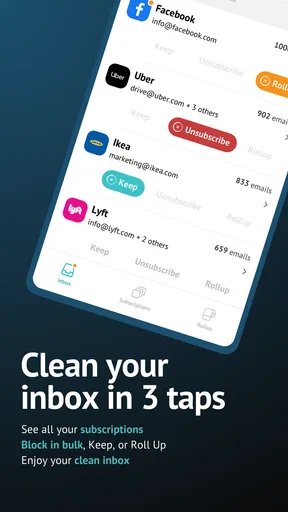
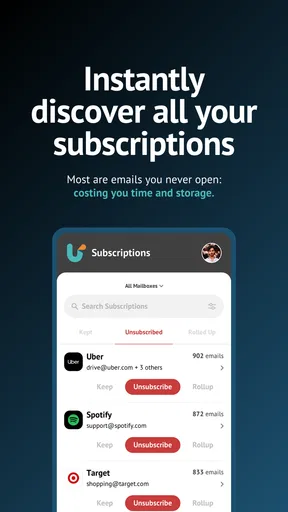
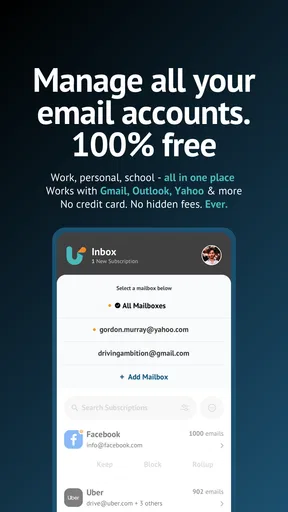
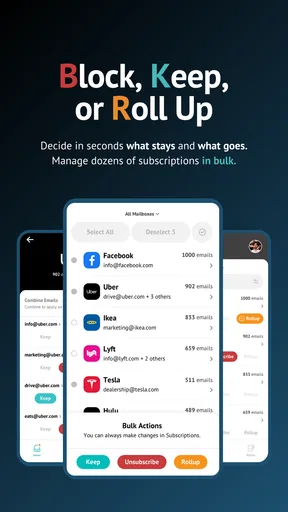
 Analysis by AppCompare
Email clutter rarely arrives as one dramatic problem. In my experience, it builds quietly: newsletters I once wanted, promotional messages I never remember requesting, and useful conversations buried under everything else. Unroll.Me is a productivity app from Unroll.Me that approaches that mess from a practical angle. Instead of asking me to reorganize every message manually, it focuses on identifying subscriptions and helping me decide what deserves space in my inbox.
I tested it with a simple goal: make email maintenance repeatable rather than turning it into an occasional cleaning marathon. That distinction matters. An inbox cleaner can give you a brief feeling of control, but a sustainable system needs a routine for new subscriptions, recurring promotions, and the messages that are useful only sometimes. This app is most interesting when used as one part of that routine, not as a magical replacement for ordinary email habits.
Turning an overloaded inbox into a manageable routine
I find it helpful to treat subscription cleanup as an inbox routine, not a one-off purge: the goal is to change what keeps arriving, while leaving important conversations and account notices in their usual email workflow. For uncertain senders, I would pause rather than make a rushed decision, then see whether I actually miss those messages before removing them. That careful approach leads naturally to the practical trade-offs involved.
What the workflow looks like before using it
Before opening the app, I recommend deciding what “clean” means for you. I do not mean reaching an empty inbox. For one person, a clean inbox contains only conversations that need a reply. For another, it also includes newsletters, receipts, account notices, and saved offers. If that decision is not made first, it is easy to unsubscribe from something merely because it is frequent, then regret losing it later.
My preferred starting point is to separate email into three mental groups: messages that require action, recurring information I genuinely read, and material that creates noise. Unroll.Me is particularly useful with the third group and with subscriptions that have gradually accumulated. It is less of a complete email replacement and more of a decision-making layer for the incoming stream.
A realistic example is a busy weekday morning. I might have a work message that needs a response, a delivery update, a bank notification, and several retail newsletters. Opening each promotional email individually would take time and would expose me to the same sales language that caused me to subscribe in the first place. A subscription-focused cleaner lets me handle those messages as a batch, preserving attention for the email that actually matters.
There is also a useful psychological benefit. When unsubscribing requires opening every message, I tend to postpone it. A dedicated cleaner makes the task feel more like sorting than reading. That small change reduces the temptation to scan every offer and helps me judge a subscription by its long-term value instead of by the subject line of one particularly attractive message.
Worth Reading Before You Choose

EA SPORTS FC Mobile 26 Is a Bigger Football Game, but It Takes Time

Flipboard Shows What News Apps Must Do Beyond the Feed

Switching to Android Auto Means Rethinking Your Driving Routine

Google Calendar Makes a Crowded Week Easier to Manage

Ludo King Makes the Most of the Minutes Between Plans

Baby Panda World Brings Quick Play to Modern Phones, but Its Game Library Feels Busy
Capturing subscriptions without losing the useful ones
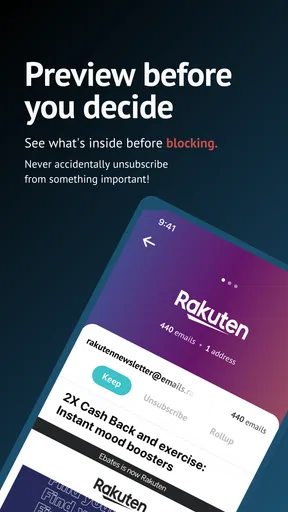
The central experience is reviewing recurring senders and choosing what should remain in the inbox. I found that the best results came from slowing down at the beginning rather than approving or removing everything quickly. A newsletter can be annoying in volume but valuable in content, while a polished promotional list can look harmless until it fills the inbox every day.
I use a simple test: if I would search for this source deliberately, it probably deserves a place in my information diet. If I only open it because it happens to be at the top of the inbox, it is a strong candidate for removal. This is more reliable than judging by brand familiarity. Familiar companies can still produce distracting mail, and an unfamiliar specialist newsletter may be genuinely useful.
One non-obvious advantage of this approach is that it exposes the difference between email organization and email storage. Moving messages away may make the inbox look better, but it does not necessarily change what arrives tomorrow. Unsubscribing addresses the source of part of the problem. That makes the cleanup more durable than repeatedly archiving the same kind of message.
I would still review important senders carefully. Account alerts, order updates, appointment reminders, and security notices can resemble marketing mail because they come from automated addresses. I do not treat every recurring message as disposable. The right question is whether the sender supports something I may need to know, not whether the message is visually attractive or frequent.
Building a repeatable email-cleaning habit
The app becomes more useful when it is attached to a calendar habit. I prefer a short review at a predictable interval rather than waiting until the inbox feels unbearable. The exact interval depends on how much mail I receive, but the principle is consistent: deal with subscriptions before they become a large backlog.
During a review, I first handle obvious promotional senders, then pause on sources I have not opened recently. That second pass is important because the easiest subscriptions to remove are not always the most wasteful ones. Some senders produce occasional messages that are easy to ignore, yet they still encourage me to check the inbox unnecessarily. Removing those can improve focus even when the message count is small.
A second useful routine is to pair cleanup with a broader digital reset. After reviewing subscriptions, I look at the applications and services I signed up for recently and ask whether each one still earns my attention. This prevents a common cycle in which I unsubscribe from old mail but immediately create new clutter elsewhere. Unroll.Me can support the email portion of that system, while the judgment about future sign-ups remains mine.
I also avoid using the app as an excuse to postpone replies. Subscription cleanup and personal correspondence are different jobs. If I combine them, I can spend the whole session sorting newsletters while leaving important conversations untouched. My better workflow is to clean recurring mail first, close the app, and then process messages that require a response in the normal email client.
Where the experience can fall short
The biggest limitation is that no cleaner can perfectly understand the personal value of a message stream. Frequency is not the same as uselessness, and a sender can mix valuable announcements with weak promotions. I still need to inspect the context before making a permanent decision. Anyone expecting a single tap to produce a flawless inbox will probably find the process less automatic than imagined.
Unsubscribing is also not identical to blocking spam. Legitimate mailing lists and unwanted spam are different problems. A subscription cleaner is well suited to mail I knowingly or unknowingly opted into, while suspicious messages should be handled with the email provider’s spam and security tools. Treating those categories as interchangeable can create a false sense of protection.
Another point of friction is habit. The app can help me identify recurring senders, but it cannot stop me from signing up for another offer tomorrow. If I subscribe impulsively, the inbox will eventually refill. The sustainable fix is to pause at the sign-up stage and ask whether I want ongoing email or only the one-time information currently being offered.
There is a trade-off between aggressive reduction and useful awareness. Some people want the quietest possible inbox and will accept missing occasional deals or updates. Others rely on newsletters for work, shopping, travel, or hobbies. I favor a conservative first pass: remove clear noise, keep sources I read, and revisit uncertain subscriptions later. That approach takes slightly longer but lowers the chance of cleaning away something valuable.
It is also worth keeping expectations realistic about alternatives. Most email clients already provide folders, labels, search, archive, spam controls, and manual unsubscribe links. Those tools are enough for someone who receives little promotional mail or enjoys organizing messages by hand. The advantage here is concentration: instead of hunting through individual emails, I can focus specifically on recurring subscriptions. The disadvantage is that I am adding another tool and another review step to my digital life.
For a person who wants advanced mailbox rules, detailed project workflows, or a unified task system, a traditional email client may be the better center of operations. Unroll.Me is narrower. I see that narrow focus as a strength when the problem is subscription overload, but a weakness when the real issue is missed deadlines, scattered attachments, or poor correspondence management.
Privacy and decision-making deserve attention
Any app that helps manage an inbox deserves a deliberate trust check before I use it. Email is not just a list of advertisements; it can include personal conversations, receipts, travel details, and account information. I would read the current permission and privacy explanations carefully and make sure I understand what access is requested and how the service handles mailbox data before connecting an account.
This is not a reason to dismiss the app automatically. It is a reason to compare the convenience with the sensitivity of the inbox involved. Someone using a secondary address mainly for shopping newsletters may make a different decision from someone whose primary mailbox contains confidential work correspondence. If the privacy trade-off feels uncomfortable, manual unsubscribe tools inside the existing email service may be the more appropriate choice.
Who should adopt it, and who should skip it
I think the app is a good fit for people whose inbox is dominated by newsletters, retailer promotions, recurring announcements, and other subscriptions they no longer actively choose. It is also useful for anyone who repeatedly archives the same types of messages without addressing why they keep arriving. In that situation, changing the source is more effective than endlessly moving the result.
It suits users who want a focused cleanup session rather than a complete replacement for their email client. I would recommend it to a friend who says, “I can find important mail, but I keep getting distracted by everything around it.” The subscription review can reduce that background noise and make the normal inbox feel less demanding.
I would skip it if the main problem is a chaotic work system, poor search, forgotten replies, or messages spread across several unrelated accounts. Those issues require different solutions. I would also be cautious if I rarely receive subscription mail, because the benefit may not justify adding a separate service to a simple setup.
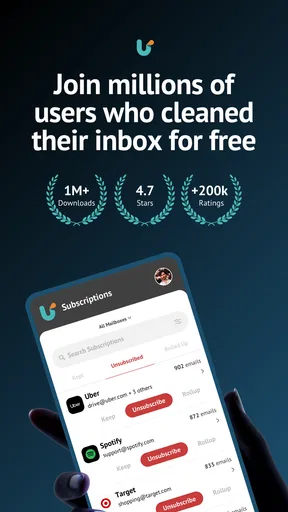
The app is free, carries an Everyone age rating, and has reached more than a million installs with a 4.5 average from roughly ninety-two thousand ratings. Those numbers suggest that the concept resonates with a broad audience, but they do not remove the need to decide whether it fits my own email habits. Popularity is useful context, not a substitute for checking the workflow.
Device details and everyday usability
On Android, the listed release is version 3.3.30 and it requires Android 8.0 or later. That makes compatibility straightforward for many current devices, though anyone using an older phone should check the operating-system requirement before planning around it. The app is categorized as productivity, which matches its practical role: it is designed to reduce friction around information management rather than replace the full email experience.
I appreciate that its purpose is easy to explain. I do not need to learn a complicated project structure before getting value from it. The challenge is not understanding what it is for; the challenge is making careful decisions about the subscriptions it surfaces and continuing the habit after the first cleanup.
My final view after using it as part of a system
Unroll.Me works best as a maintenance tool, not a one-time rescue. Its real value comes from helping me address recurring email at the source, then returning to that decision periodically. Used that way, it can make an inbox calmer without demanding that I manually inspect every promotional message.
I would not present it as a universal answer to email overload. It does not replace a capable mail client, thoughtful spam handling, or a personal rule about what deserves attention. It also asks me to trust an additional service with an important part of my digital life, so that choice should be made consciously.
Still, for the specific problem of subscription clutter, I find the focused workflow more practical than relying only on archive and search. If my inbox is crowded because I keep receiving mail I no longer want, I would try this app, begin conservatively, protect essential alerts, and schedule a short follow-up review. That combination—not the cleanup alone—is what gives the tool a realistic chance of improving everyday productivity.
Pros
- Quickly identifies newsletters and unwanted subscriptions.
- Swipe-based controls make inbox cleanup simple.
- Unsubscribe requests can be handled in batches.
- Helps reveal how many mailing lists use your address.
- Useful for reducing promotional email clutter over time.
Cons
- Unsubscribe results may take time to appear in your inbox.
- Some mailing lists may require manual removal on their websites.
- The app needs access to email data to analyze your inbox.
- Important messages can be misclassified if reviewed too quickly.
- Features and availability may vary by email provider or region.
FAQs for Unroll.Me - Inbox Mail Cleaner
What is Unroll.Me - Inbox Mail Cleaner and how does it work?
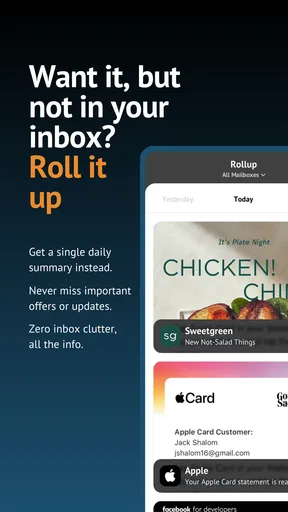
Unroll.Me is an email management app designed to help organize a crowded inbox. After connecting a supported email account, it scans messages to identify subscription-based emails such as newsletters, promotions, and mailing lists. You can then unsubscribe from unwanted senders, keep subscriptions you still enjoy, or combine selected messages into a daily digest called the Rollup, making routine inbox cleanup easier.
Is Unroll.Me safe to use with my email account?
Using Unroll.Me requires granting the service access to your email account so it can detect subscriptions and process relevant messages. Before signing in, review the permissions, privacy policy, and account settings carefully. The app is useful for reducing inbox clutter, but users who handle confidential, business, or sensitive communications should consider whether providing third-party access is appropriate for their situation.
Can Unroll.Me unsubscribe me from every unwanted email?
Unroll.Me can identify many recurring newsletters and promotional mailing lists, but it cannot guarantee that every unwanted message will be detected or removed. Some senders may use unusual mailing formats, confirmation steps, or systems that prevent automated unsubscribe requests. You may still need to open certain emails and unsubscribe manually, and spam messages should generally be reported through your email provider.
What is the Rollup feature in Unroll.Me?
The Rollup is a consolidated summary of subscriptions you choose to keep. Instead of receiving numerous individual newsletters throughout the day, selected messages are grouped into one digest that you can review at a convenient time. This feature is helpful for reducing notifications and visual clutter, although it may delay access to time-sensitive promotions or updates that you would otherwise receive immediately.
Is Unroll.Me free, and are there any limitations to consider?
Unroll.Me is generally available as a free email-cleaning service, but availability, features, advertising, and account requirements may vary by region, platform, or service updates. The app’s main value is its subscription-management tools, while certain users may have concerns about privacy, third-party email access, or how the service operates commercially. Check the current store listing and terms before downloading.


